Least-Privilege Access: Protect Your Practice from Staff
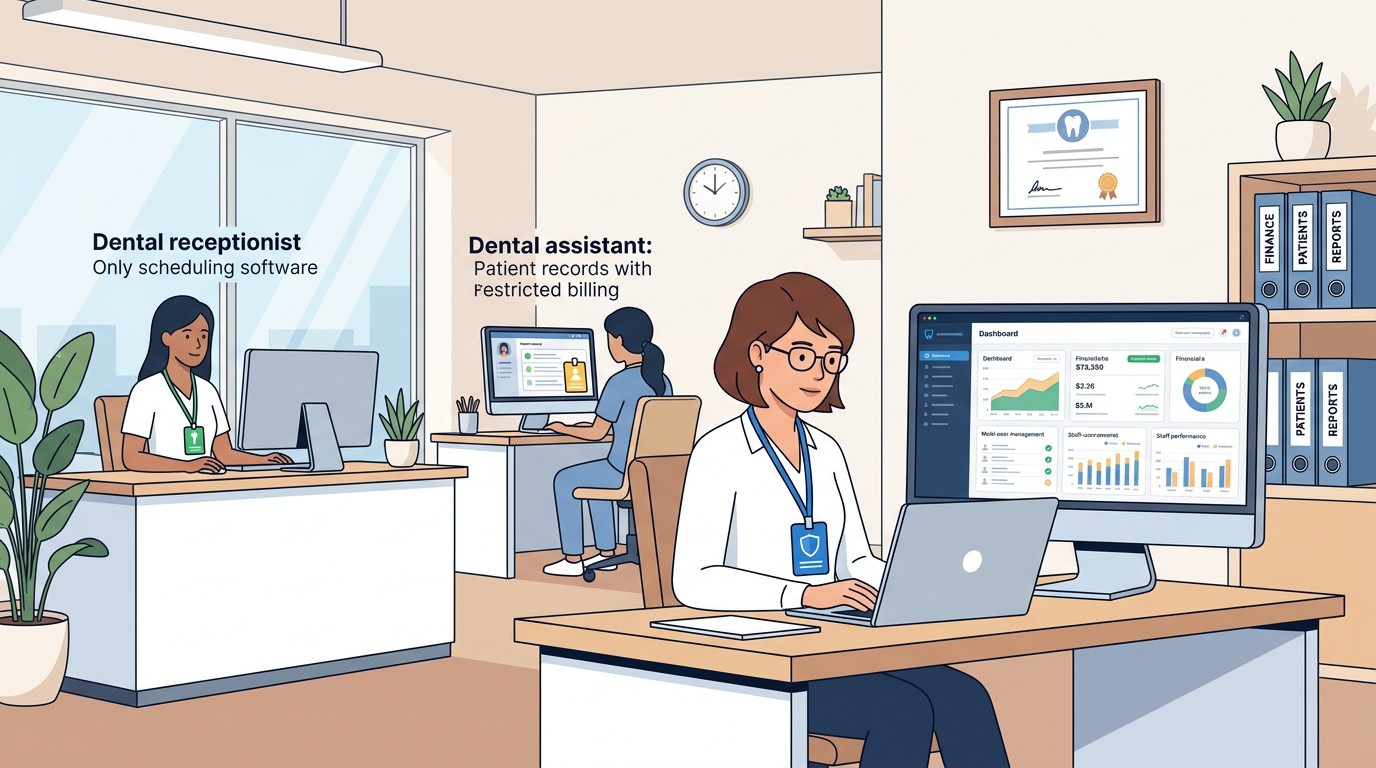
Your hygienist does not need access to run refunds. Your receptionist does not need access to delete transactions. Why do they have it?
📚 Part of our reconciliation series: This article is part of The Complete Guide to Dental Practice Reconciliation, our comprehensive resource on closing your books accurately and preventing revenue leakage.
The Access Problem
Most dental practices give staff far more system access than they need. When setting up a new employee, the easiest approach is to copy permissions from an existing user or grant broad access to avoid constant requests for additional privileges. Over time, this creates an environment where nearly everyone can do nearly everything.
This feels convenient until something goes wrong. An employee makes an error they should not have been able to make. Someone commits fraud using access they should not have had. A terminated employee's credentials remain active because nobody tracked who had access to what.
Least-privilege access is a security principle that means giving each person only the access they need to perform their job, nothing more. It is not about distrusting employees. It is about limiting the damage that any single person can cause, whether through malice, mistake, or compromised credentials.
The practices that implement least-privilege access have fewer errors, detect problems faster, and present smaller targets for fraud. The upfront effort of configuring appropriate permissions pays dividends in reduced risk and clearer accountability.
What Least Privilege Means
The principle is simple: every user should have the minimum access necessary for their job function. A hygienist who never handles billing should not have billing access. A receptionist who checks patients in does not need access to financial reports. A billing specialist who posts payments may not need access to adjust fees.
This does not mean making people's jobs harder. It means matching access to actual job requirements rather than granting blanket permissions for convenience. Staff still have everything they need to do their work. They just do not have capabilities they will never use.
Least privilege also means access should be temporary when appropriate. If a staff member needs elevated permissions for a specific task, grant them for that task and revoke them after. Permanent broad access should be reserved for people who permanently need it.
The concept extends beyond software to physical access as well. Not everyone needs keys to the office. Not everyone needs access to the safe. Not everyone needs the combination to the deposit drop. Physical and digital access should both follow the principle of minimum necessary.
Why Broad Access Creates Risk
When everyone has access to everything, several problems emerge.
Errors compound because there are no guardrails. A staff member who should not be adjusting accounts might try to fix something they do not understand, creating a bigger problem than whatever they were trying to solve. Limited access prevents well-intentioned mistakes.
Accountability becomes murky. When ten people can make the same changes, determining who made a problematic change requires investigating all ten. When only two people have that access, investigation is faster and more focused.
Fraud becomes easier. Embezzlement often involves manipulating records that the embezzler should not have been able to touch. Limited access forces would-be fraudsters to involve others or work around controls, increasing their risk of detection.
Credential compromise has larger consequences. If a staff member's password is stolen through phishing or other means, the attacker gains whatever access that staff member had. Broad access means broad exposure. Limited access contains the damage.
Terminated employees pose greater risks. When someone leaves, you need to revoke their access. If they had access to everything, you need to change everything. If they had limited access, the scope of required changes is smaller and more manageable.
Mapping Roles to Access
Implementing least privilege starts with understanding what each role actually needs.
Front desk staff typically need to check patients in and out, verify insurance eligibility, schedule appointments, collect payments, and generate receipts. They may not need access to run reports, make adjustments, process refunds, or view financial summaries.
Billing specialists need to submit claims, post payments and adjustments, work denial queues, and generate patient statements. They may not need access to clinical records, scheduling functions, or administrator settings.
Office managers often need broader access for oversight purposes, including running reports, reviewing transactions, and managing staff schedules. Even managers may not need access to system configuration, fee schedule changes, or provider setup.
Providers typically need clinical functions and may need to view treatment-related financial information. They generally do not need access to operational financial functions unless they are also the practice owner.
Practice owners need the broadest access but should still avoid using owner credentials for routine work. Having a separate administrative account protects against accidental changes and creates clearer audit trails.
Configuring Your Systems
Most practice management systems support role-based access control, though the implementation varies.
Start by reviewing your current access setup. Generate a list of all users and their permission levels. You may be surprised to discover how many people have administrative access that they do not use.
Create role templates that match your job functions. Rather than configuring each user individually, define what a front desk role includes, what a billing role includes, and so on. New employees can be assigned to the appropriate role rather than having permissions configured from scratch.
Review high-risk functions specifically. Who can process refunds? Who can delete transactions? Who can change fee schedules? Who can access reports with patient identifiers? These sensitive functions should have the smallest possible access group.
Test access changes before implementing broadly. Have a staff member try to perform their normal work with proposed new restrictions. Identify any legitimate needs that you inadvertently blocked. Adjust before rolling out to everyone.
Document what each role includes and why. When staff ask for additional access, you can review whether their request aligns with their role or suggests the role definition needs updating. Documentation also helps during audits and investigations.
Handling Access Requests
When staff request additional access, resist the temptation to simply grant it. Instead, understand why they need it.
If the request reflects a legitimate job function you overlooked, update the role to include that access. The request revealed a gap in your role definition that should be corrected.
If the request is for a one-time task, consider whether temporary access is appropriate rather than permanent expansion. Grant access for the specific need and revoke when complete.
If the request does not align with the person's job, explore alternatives. Perhaps someone else should be doing that task. Perhaps a workflow change would eliminate the need. Perhaps the request reveals a training gap where the person does not understand the proper process.
If you grant expanded access, document why. Over time, access tends to accumulate as requests are approved without removal of prior grants. Documentation helps you understand how access configurations evolved and whether cleanup is needed.
Periodic access reviews should be standard practice. At least annually, review who has access to what and whether those permissions still align with current job functions. Staff roles change. People leave or transfer. Access should be updated accordingly.
Physical and Procedural Controls
Digital access controls work best alongside physical and procedural controls.
Safe access should be limited to those who need it, typically managers and designated cash handlers. The combination should change when employees with access leave the practice.
Bank deposit preparation should involve separation of duties when possible. The person who prepares the deposit should not be the only person who verifies it. Two sets of eyes catch errors and deter manipulation.
Check signing authority should be restricted. Not everyone needs the ability to sign checks or authorize payments. Limiting this authority prevents unauthorized disbursements.
Credit card processing equipment should be secured. Terminals and card readers should not be accessible to staff who do not need them. Physical access to payment hardware enables various forms of abuse.
Keys and access codes should be inventoried. Know who has keys, who has alarm codes, who has system passwords. When someone leaves, ensure all their access vectors are addressed, not just their software login.
The Culture of Appropriate Access
Implementing least privilege works best when staff understand why it matters.
Frame access limits as protection rather than restriction. You are not telling staff that you do not trust them. You are building a system where everyone is protected from the consequences of others' mistakes or bad acts. Limited access protects honest employees from suspicion when problems occur.
Explain that access limits are standard business practice. Banks do not let tellers access the vault. Retailers do not give cashiers manager overrides. Professional environments have appropriate controls. Your practice is no different.
Be consistent in enforcement. If managers routinely bypass controls or share credentials, staff learn that the rules are not real. If controls apply to everyone, staff accept them as normal operating procedure.
Respond constructively when access limits create friction. If legitimate work is blocked, fix the access configuration. Do not dismiss concerns. Staff who feel heard are more likely to support controls than staff who feel arbitrarily restricted.
Recognize that culture takes time to shift. Practices that operated with wide-open access for years will experience adjustment when implementing limits. Patience and consistency eventually establish new norms.
The Ongoing Practice
Least-privilege access is not a one-time project. It requires ongoing attention.
New hires should receive access appropriate to their role from day one. Do not grant broad access with plans to narrow it later. Start narrow and expand only as needed.
Role changes should trigger access reviews. When someone moves from front desk to billing, their access should change accordingly. Old access should be removed, not just new access added.
Departures should trigger immediate access revocation. When someone leaves, their access should be disabled that day. Delayed revocation creates windows of vulnerability.
System changes should include access review. When you implement new software or add modules to existing software, review who needs access to the new capabilities. Do not simply extend existing access to new functions.
Regular audits ensure configuration matches intent. Quarterly or annual reviews of access rights catch accumulation and drift. What you configured a year ago may not reflect current needs.
The practices that maintain good access controls are the practices that treat it as ongoing operations rather than a completed project. Access management is part of running the practice, not separate from it.
Related Resources
Access control is one component of embezzlement prevention. For the full picture, see our Complete Guide to Dental Embezzlement Prevention. Learn to recognize warning signs of theft and understand the statistics on dental embezzlement.
Zeldent integrates with your existing access controls and adds its own role-based permissions for reconciliation functions. We help you maintain appropriate access while enabling the financial oversight your practice needs. Schedule a demo to see how access management works with automated reconciliation.