Credit Card Reconciliation for Dental Practices
End-of-Day Reconciliation Checklist
Download the complete 9-step daily closeout checklist with reconciliation grid to close your books right every day.
Credit cards account for over 40% of patient payments in most dental practices. If you are not reconciling them properly, revenue is slipping through the cracks.
📚 Part of our reconciliation series: This article is part of The Complete Guide to Dental Practice Reconciliation, our comprehensive resource on closing your books accurately and preventing revenue leakage.
Where Credit Card Revenue Hides
Credit card payments feel automatic. Patient swipes, terminal beeps, receipt prints. Done.
But between that swipe and the money actually reaching your bank account, a lot can go wrong. Batches fail to settle. Fees get deducted. Chargebacks appear weeks later. Refunds process on different timelines than charges.
Most practices treat credit card reconciliation as an afterthought. They assume the money arrived because the terminal said approved. Then they wonder why their deposits never quite match their PMS totals.
The practices that collect every dollar they earn take credit card reconciliation seriously. They understand the payment flow, track every batch, and catch discrepancies before they become permanent losses.
Understanding Credit Card Payment Flow
Before you can reconcile credit cards, you need to understand how the money actually moves.
Step 1: Authorization
When a patient presents their card, your terminal sends the card details to the processor. The processor checks with the issuing bank: Is this card valid? Is there sufficient credit or funds? Should this transaction be approved?
If approved, you get an authorization code. This is a promise to pay, not actual payment. The money has not moved yet.
Step 2: Batch Settlement
Throughout the day, approved transactions accumulate in your terminal. At the end of each day, you batch out, which sends all those authorizations to the processor for settlement.
This is when you request actual payment for all the transactions you authorized that day.
Step 3: Processor Clearing
Your processor sends the batched transactions through the card networks (Visa, Mastercard, etc.) for clearing. The networks route each transaction to the appropriate issuing bank for payment.
This typically happens overnight.
Step 4: Funding
After clearing, the processor deposits funds into your bank account. Depending on your processor and bank, this takes one to three business days from batch settlement.
The deposit amount is your gross sales minus processing fees, unless you have fees billed separately.
Step 5: Reconciliation
You compare what was deposited to what your PMS shows in credit card payments. They should match. When they do not, you investigate.
Daily Reconciliation Steps
Credit card reconciliation works best when done daily. Here is the process:
Batch Your Terminal at the Same Time Every Day
Consistency matters. If you batch at 5 PM every day, your deposits will be predictable. If you batch randomly, or forget to batch, tracking becomes much harder.
Set a specific time and make it part of your end-of-day checklist. Many practices batch right before running other EOD reconciliation steps.
Record Your Batch Total
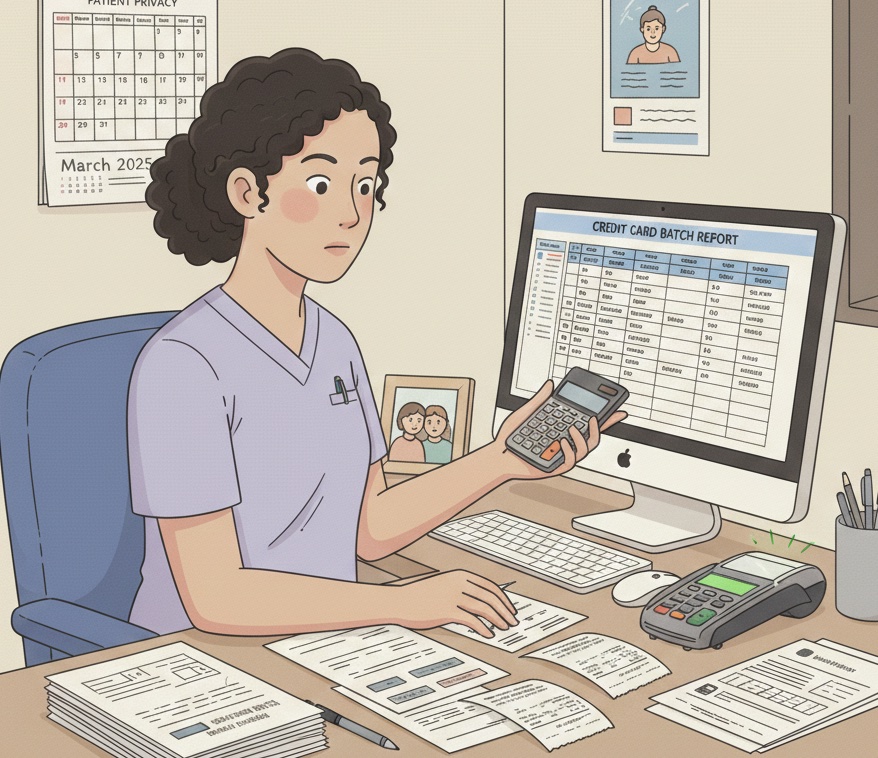
When you batch, your terminal produces a report showing the total amount and number of transactions. Record this number in your reconciliation log.
This batch total is your source of truth for what should eventually deposit.
Compare Batch Total to PMS Credit Card Payments
Run a credit card payment report from your PMS for the same day. The total should match your batch total exactly.
If your PMS shows $3,847 in credit card payments but your batch shows $3,697, you have a $150 discrepancy to find. Either a payment was posted to PMS but not actually charged, or a charge happened that was not posted.
Investigate Same-Day Discrepancies
Finding discrepancies the same day is much easier than finding them later. Check for:
- Payments posted but declined at the terminal
- Charges processed but not posted to patient accounts
- Duplicate postings in PMS
- Refunds processed during the day
Resolve any differences before moving on.
Matching Batches to Deposits
Your batch settles, but the deposit does not arrive for one to three days. This timing gap creates reconciliation challenges.
Track Settlement Timing
Know your processor's typical funding timeline. If you batch Monday evening, when should you expect the deposit? Tuesday? Wednesday?
Keep a log that tracks: batch date, batch amount, expected deposit date, actual deposit date, deposit amount.
Match Each Deposit to Its Source Batch
When a credit card deposit arrives in your bank account, trace it back to the original batch. The deposit should equal the batch total minus processing fees (if fees are deducted from deposits).
A $3,697 batch might deposit as $3,604.42 after fees. Know your effective rate so you can verify the math.
Reconcile Deposits Within One Week
Do not let credit card deposits pile up unreconciled. Review your merchant deposits at least weekly, matching each one to its source batch.
Any deposit you cannot match to a batch needs investigation. Any batch that never resulted in a deposit needs urgent attention.
Common Discrepancies and Resolutions
Deposit Less Than Expected
Cause: Processing fees deducted. If your processor deducts fees from each deposit rather than billing separately, your deposit will be less than your batch total. This is normal. Calculate your effective rate and verify the fee amount is correct.
Cause: Chargeback offset. If a patient disputed a charge and you lost, the processor may deduct the chargeback amount from a future deposit. Check for chargeback notices.
Cause: Reserve holdback. Some high-risk or new merchant accounts have reserves where the processor withholds a percentage of each deposit. Review your merchant agreement.
Deposit More Than Expected
Cause: Previous day's batch included. If you batched late or missed a day, multiple batches might fund together. Check your batch history.
Cause: Chargeback reversal. If you won a chargeback dispute, the funds get returned. Check your chargeback records.
Batch Total Does Not Match PMS
Cause: Charge not posted. A card was charged but the payment was never entered in PMS. Find the transaction on your batch report and post it.
Cause: Post not charged. A payment was entered in PMS but the card was never actually charged. This happens when staff post manually without processing through the terminal. You need to collect this payment.
Cause: Refund processed. Refunds reduce your batch total. Make sure refunds are recorded in PMS as negative payments or adjustments.
Cause: Wrong date. A payment was posted to PMS on a different date than it was processed. Check adjacent days.
Chargebacks and Refunds
Chargebacks and refunds complicate reconciliation because they happen on different timelines than regular transactions.
Understanding Chargebacks
A chargeback occurs when a cardholder disputes a charge with their issuing bank. The bank reverses the charge, pulling money back from your merchant account.
You typically have an opportunity to dispute the chargeback by providing documentation. If you win, the funds return. If you lose, the money is gone plus you may owe a chargeback fee.
Chargebacks can occur weeks or months after the original transaction. By the time you see the chargeback, you may have already counted that revenue.
Tracking Chargebacks
Log every chargeback notice you receive. Record: original transaction date, original amount, chargeback date, reason code, dispute deadline, outcome.
When a chargeback hits your merchant account, it will reduce a future deposit. Match chargeback deductions to your chargeback log.
Handling Refunds
When you refund a credit card payment, the refund may not process on the same day. Most processors batch refunds separately or include them in the next day's batch.
This means your PMS might show the refund today, but your merchant account shows it tomorrow. Track refunds separately and allow for timing differences.
Always record refunds in your PMS so patient accounts reflect the correct balance.
Merchant Fee Reconciliation
Processing fees can be billed several ways. Understanding your billing structure helps you reconcile accurately.
Fee Structures
Net settlement: Fees are deducted from each deposit. Your deposit equals your batch total minus fees. This is most common for small practices.
Gross settlement with monthly billing: You receive the full batch amount, then receive a separate monthly invoice for all fees. Reconciliation is simpler, but you need to budget for the monthly fee bill.
Daily fee deduction: Fees are deducted daily from your account rather than from deposits. Check for separate debits in your bank account.
Verifying Fees
Know your effective rate. If your average processing cost should be 2.5%, a $10,000 month in credit card payments should cost around $250 in fees.
If fees seem high, review your statement for:
- Per-transaction fees adding up
- Premium card surcharges (rewards cards cost more to process)
- PCI compliance fees
- Monthly minimums or statement fees
- Chargeback fees
Monthly Fee Reconciliation
At month end, compare your total credit card deposits to your total credit card payments in PMS. The difference should equal your processing fees plus or minus chargebacks and adjustments.
If the math does not work, dig into individual batches and deposits until you find the discrepancy.
Multi-Location Considerations
Practices with multiple locations face additional reconciliation complexity.
Separate Merchant Accounts
Some multi-location practices use separate merchant accounts for each location. This simplifies tracking because each location's deposits are distinct.
Make sure each location batches and reconciles independently. Roll up totals for consolidated reporting.
Shared Merchant Account
Other practices use a single merchant account across locations. All deposits land in one bank account, combining transactions from all locations.
This requires careful tracking. Your terminal or POS should identify which location processed each transaction. Match deposits by running location-specific reports.
Centralized vs. Distributed Reconciliation
Decide whether reconciliation happens at each location or centrally.
Distributed: Each location reconciles their own batches. A central office reviews and consolidates.
Centralized: One person or team handles all reconciliation. Requires access to all terminal reports and PMS data.
Either can work. The key is clear responsibility and consistent process.
Building a Credit Card Reconciliation System
Daily Tasks
- Batch terminal at consistent time
- Record batch total
- Compare batch to PMS credit card payments
- Investigate and resolve same-day discrepancies
- Log any refunds processed
Weekly Tasks
- Match deposits received to source batches
- Verify fee deductions are correct
- Review any unmatched deposits or batches
- Check for chargeback notices
- Reconcile refund log to merchant account
Monthly Tasks
- Compare total deposits to total PMS credit card payments
- Reconcile processing fees to merchant statement
- Review chargeback history and outcomes
- Analyze effective rate and fee trends
- Report any unresolved discrepancies
Warning Signs of Credit Card Problems
Watch for these red flags:
Batches that never deposit. If you batched three days ago and the deposit never arrived, something failed. Contact your processor immediately.
Deposit amounts that vary unexpectedly. Consistent variations are fine (fees). Random variations need investigation.
Increasing chargebacks. A rising chargeback rate indicates problems: unhappy patients, fraud, or authorization issues.
Fees creeping up. If your effective rate is rising without explanation, review your merchant statement for new or increased fees.
PMS totals consistently higher than deposits. This might mean staff are posting payments without actually charging cards.
The Payoff of Proper Credit Card Reconciliation
Practices that reconcile credit cards properly enjoy:
Accurate revenue tracking. You know exactly what you collected, not what you think you collected.
Faster problem detection. A failed batch found on day one is recoverable. Found on day thirty, maybe not.
Lower fee costs. Understanding your fees helps you negotiate better rates or switch processors.
Chargeback management. Tracking chargebacks helps you dispute them successfully and identify underlying issues.
Audit readiness. Clean records make audits and due diligence painless.
Want credit card reconciliation that happens automatically? Zeldent matches your merchant deposits to your PMS credit card payments every day, flagging discrepancies before they become permanent losses. Schedule a demo to see effortless payment reconciliation.
End-of-Day Reconciliation Checklist
Download the complete 9-step daily closeout checklist with reconciliation grid to close your books right every day.