Back to Practice Pulse

    Insurance ACH Payment Reconciliation: Matching Lump Sums to Patient Accounts
    9 min read
    Insurance & Claims
    Revenue Management
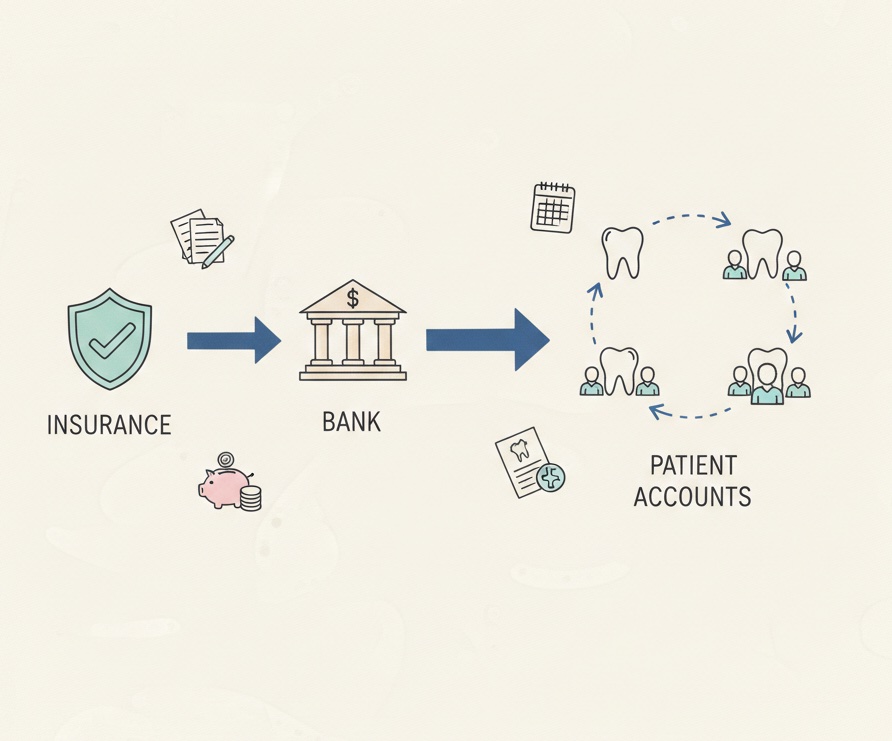
    Insurance payment breakdown showing multiple patient allocations
    Share this article:

    Delta Dental deposited $8,247.33 into your account this morning. It covers 23 patients across 19 different dates of service. Now you need to post it correctly.

    The Lump Sum Challenge

    Insurance companies do not send separate payments for each patient. They bundle claims together and send one electronic payment covering dozens of patients, procedures, and dates of service.

    That single deposit hitting your bank account might include:

    • A crown for Mrs. Johnson from three weeks ago
    • Preventive visits for the Smith family from last Tuesday
    • An extraction for Mr. Garcia that you submitted last month
    • Adjustments reducing a previous payment you already posted

    Matching this lump sum to individual patient accounts is essential for accurate books. Post it wrong, and patient balances are incorrect. Miss part of it, and you leave money on the table. Let it sit unposted, and your accounts receivable grows stale.

    This is the core challenge of insurance ACH reconciliation, and most practices struggle with it.

    Understanding Insurance Electronic Payments

    Before diving into reconciliation, understand how these payments work.

    EFT vs ACH vs Virtual Card

    Insurance companies use several electronic payment methods:

    ACH/EFT (Electronic Funds Transfer): Direct deposit into your bank account. The money arrives automatically. This is the most common method for major payers.

    Virtual Credit Card: The payer sends a credit card number that you process for payment. These have become more common and often carry processing fees that eat into your payment.

    Paper Check: Still used by some payers, though declining. These require manual deposit but are easier to match since each check usually covers fewer claims.

    For this article, we focus on ACH/EFT payments since they represent the bulk of insurance revenue for most practices.

    The ERA Explains the Deposit

    Every electronic payment should have a corresponding Electronic Remittance Advice (ERA). The ERA is the key to reconciliation.

    The ERA details:

    • Which patients are included in the payment
    • Which dates of service are covered
    • What procedures were paid
    • How much was paid for each line item
    • What adjustments were applied
    • Why any claims were denied or reduced

    Without the ERA, you have money in the bank and no idea how to allocate it. With the ERA, you have a roadmap for posting.

    Where ERAs Come From

    ERAs arrive through several channels:

    Clearinghouse: Most practices use a clearinghouse that receives ERAs electronically and makes them available for download or automatic posting.

    Payer Portal: Some payers make ERAs available through their provider portal. You log in, download the remittance, and use it for posting.

    Direct Connection: Large practices may have direct ERA connections with major payers.

    Paper EOB: Some payments still arrive with paper Explanation of Benefits. These require manual data entry.

    Regardless of source, the reconciliation process is similar: match the ERA details to the deposit and post accordingly.

    The Reconciliation Process

    Step 1: Identify the Deposit

    When an insurance EFT arrives in your bank account, note:

    • The deposit date
    • The exact amount
    • The payer name or identifier (often in the transaction description)
    • Any reference numbers

    This information helps you find the matching ERA.

    Step 2: Locate the Corresponding ERA

    Find the ERA that matches your deposit. The ERA total should equal the deposit amount exactly.

    If you use a clearinghouse, search by:

    • Payer name
    • Payment date (may differ slightly from deposit date)
    • Payment amount
    • Check or trace number

    If ERAs do not match deposits, you have a problem to investigate before proceeding.

    Step 3: Review the ERA Contents

    Before posting, review what the ERA contains:

    Patient list: Verify these are your patients with expected claims.

    Payment amounts: Do they align with your expected reimbursement for these procedures?

    Adjustments: Understand what adjustments are being applied and why.

    Denials: Identify any denied claims that need follow-up.

    Take-backs: Watch for negative amounts where the payer is recouping previous payments.

    This review catches errors before they become posting mistakes.

    Step 4: Post to Patient Accounts

    For each line item on the ERA, post the payment to the correct:

    • Patient account
    • Date of service
    • Procedure code
    • Provider

    Also post the corresponding adjustments. Insurance payments almost always include contractual adjustments that reduce the patient's balance.

    Most practice management systems can auto-post ERAs. Even with automation, verify that postings are accurate.

    Step 5: Verify the Math

    After posting, confirm:

    • Total payments posted equal the ERA payment total
    • Total payments posted equal the bank deposit
    • Each patient account reflects the correct remaining balance

    If numbers do not match, find the discrepancy before moving on.

    Step 6: Document the Reconciliation

    Record that this deposit has been reconciled:

    • Link the deposit to the ERA
    • Note any issues found and how they were resolved
    • Flag any items requiring follow-up (denials, take-backs)

    Documentation protects you when questions arise later.

    Common Reconciliation Challenges

    ERA Does Not Match Deposit

    Sometimes the ERA total and deposit amount differ.

    Possible causes:

    • Multiple ERAs combined in one deposit
    • Take-backs deducted from payment
    • Timing differences between ERA generation and payment
    • Payer error

    Resolution: Pull all ERAs from that payer around that date. Often multiple ERAs add up to the deposit. If you still cannot match, contact the payer.

    Missing ERA

    Money arrived but you cannot find the ERA.

    Possible causes:

    • ERA went to old clearinghouse
    • ERA is in payer portal, not clearinghouse
    • ERA was sent but not received (technical issue)
    • Payment is not insurance (misidentified deposit)

    Resolution: Check all possible ERA sources. Contact the payer directly if needed. Do not post the payment until you have documentation for allocation.

    ERA Contains Surprises

    The ERA includes items you did not expect.

    Take-backs: The payer is recouping a previous payment, reducing your current deposit.

    Incorrect patient: Payment is for a patient not in your system or a different practice.

    Adjusted amounts: Payments are lower than expected due to fee schedule issues.

    Resolution: Investigate each surprise before posting. Take-backs need careful handling to avoid double-adjustments. Incorrect patient payments need to be returned.

    Partial Payment

    ERA shows payment for only some submitted claims. Others show as pending or denied.

    Resolution: Post what was paid. Create follow-up tasks for unpaid items. Track denials for appeal or rebilling.

    Auto-Posting vs Manual Posting

    Modern PMS platforms can auto-post ERAs. This saves significant time but requires oversight.

    When Auto-Posting Works Well

    • ERA data is clean and complete
    • Patient matching is accurate
    • Adjustment reason codes map correctly to your system
    • You review auto-posted batches before finalizing

    When Auto-Posting Fails

    • Patient names do not match exactly (misspellings, name changes)
    • Dates of service have discrepancies
    • Procedure codes do not align
    • ERA contains errors from the payer

    Best Practice: Trust but Verify

    Use auto-posting for efficiency, but verify results:

    • Review each auto-posted batch before finalizing
    • Check that payment totals match ERA totals
    • Spot-check individual patient postings
    • Investigate any rejected or unmatched items

    Blind trust in auto-posting leads to accumulated errors.

    Handling Take-Backs and Recoupments

    Take-backs are among the trickiest reconciliation items.

    What Take-Backs Look Like

    A take-back appears as a negative amount on your ERA. Instead of receiving money, money is being recouped.

    Example: Your ERA shows $4,200 in payments and -$380 in take-backs. Your deposit is $3,820.

    Why Take-Backs Happen

    • Overpayment on a previous claim
    • Duplicate payment correction
    • Coordination of benefits adjustment
    • Audit finding requiring repayment

    How to Handle Take-Backs

    Step 1: Identify what the take-back relates to. The ERA should reference the original claim.

    Step 2: Find the original payment in your system.

    Step 3: Reverse or adjust the original posting to reflect the recoupment.

    Step 4: Determine if patient balance changes. Sometimes take-backs affect what the patient owes.

    Step 5: Document why the take-back occurred for future reference.

    Do not simply ignore take-backs. They affect patient balances and practice revenue.

    Building Daily EFT Reconciliation Habits

    Morning Routine

    Start each day by checking for new insurance deposits:

    1. Log into bank account and note new insurance EFTs
    2. Access clearinghouse and download new ERAs
    3. Match deposits to ERAs
    4. Flag any unmatched deposits for investigation

    Posting Workflow

    For each matched ERA:

    1. Review contents for accuracy and surprises
    2. Auto-post or manually post to patient accounts
    3. Verify totals match
    4. Finalize and document

    End of Day Verification

    Before leaving:

    1. Confirm all deposits from today are matched and posted
    2. Review any unmatched items and document status
    3. Update pending investigation list

    Weekly Review

    Once per week:

    1. Review any aged unmatched deposits
    2. Follow up on denials and take-backs
    3. Verify deposit totals match posted insurance payments for the week

    Tracking Unmatched Deposits

    Not every deposit gets matched the same day. Create a tracking system.

    Unmatched Deposit Log

    Maintain a log with:

    • Deposit date
    • Amount
    • Payer (if known)
    • Investigation status
    • Resolution deadline

    Escalation Timeline

    • Day 1-2: Initial investigation (check all ERA sources)
    • Day 3-5: Contact payer if still unmatched
    • Day 6-10: Escalate to manager
    • Beyond 10 days: Flag for write-off review

    Never Let Deposits Age

    Unmatched deposits over 30 days old become very difficult to resolve. The urgency to match should be high.

    The Revenue Impact of Poor EFT Reconciliation

    When EFT reconciliation breaks down:

    Unposted payments: Patient accounts show balances that insurance already paid. You send statements, make collection calls, damage relationships.

    Missed take-backs: You do not realize money was recouped. Your books overstate revenue.

    Incorrect patient balances: Patients are billed wrong amounts. Some underpay, some overpay.

    Aged AR: Claims that were paid appear unpaid, inflating your accounts receivable.

    Write-offs: Eventually, unresolved deposits get written off as unidentifiable. That is real revenue lost.

    The practices that collect every dollar earned are the ones with disciplined EFT reconciliation.

    Struggling to match insurance deposits to patient accounts? Zeldent automatically reconciles your bank deposits to your PMS, flagging unmatched insurance payments before they become permanent mysteries. Schedule a demo to see effortless EFT reconciliation.

    Share this article:

    Ready to protect your practice revenue?

    Missed collections and revenue leaks add up quickly. With Zeldent, you can automatically safeguard your income, prevent revenue loss, and simplify dental billing in one streamlined platform.