When a Vendor Integration Fails (And It Will)
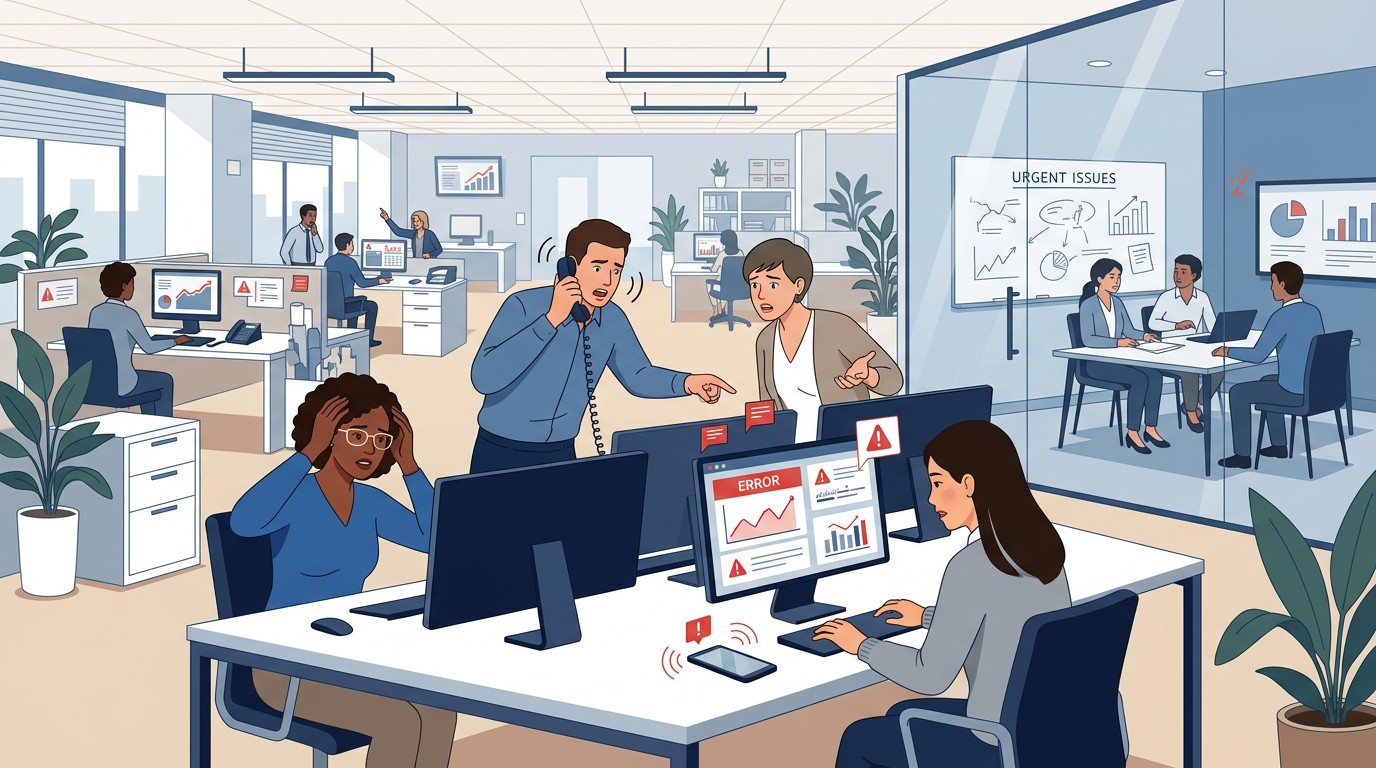
It was a routine PMS update. By Monday morning, forty-three practices could not run their daily reconciliation, and no one could tell you when it would be fixed.
📚 Part of our DSO series: This article is part of The DSO Financial Operations Playbook, our comprehensive guide to building scalable financial operations across multiple dental practice locations.
The Cascading Crisis
When a software integration fails at a single dental practice, the impact is contained. One office has a bad day. Staff work around the problem manually. The dentist grumbles about technology. Eventually the vendor fixes the issue, and operations return to normal.
When the same integration fails across a multi-location dental organization, the dynamics change entirely. The problem multiplies across every affected location. Manual workarounds that might be manageable at one practice become impossible at scale. Central support teams are overwhelmed. And the organization's ability to function depends on a vendor who may not have anticipated supporting a crisis of this magnitude.
Understanding what happens when integrations fail, and what factors make failures more or less likely, helps DSO leaders make better decisions about which vendors to trust with critical operational functions.
Anatomy of a Multi-Location Failure
Consider how a large-scale integration failure typically unfolds. The trigger is often a PMS update, but it could be a change at the vendor, a infrastructure issue, or an unexpected interaction between systems.
The discovery phase begins when practices start their day. Front desk staff notice that something is not working. Reports are empty. Data is not flowing. Error messages appear that no one recognizes. Within the first hour, support calls begin coming in from multiple locations, each describing the same symptoms.
The diagnosis phase involves central IT or operations trying to determine what happened. Is this a local issue or a systemwide problem? Is it the PMS, the third-party vendor, network infrastructure, or something else? This diagnosis takes time, especially if the vendor is slow to acknowledge the problem or unclear about its scope.
The communication phase requires informing all affected practices about the situation, setting expectations for resolution, and providing interim guidance for manual processes. This communication must happen quickly and clearly, but the information needed to communicate effectively may not be available yet.
The waiting phase is often the longest. Once you have identified that the problem is with a third-party vendor's integration, your organization largely waits. You cannot fix the vendor's software. You can only escalate, apply pressure, and prepare workarounds. Every hour that passes represents lost productivity across your entire affected portfolio.
The recovery phase begins when the vendor deploys a fix. But recovery is not instant. Each practice needs to verify the fix is working. Backlogs of work that accumulated during the outage must be processed. Normal operations resume gradually rather than immediately.
The Multiplication Effect
The operational impact of an integration failure scales with the number of affected locations, but not linearly. The challenges multiply in ways that make large-scale failures disproportionately damaging.
Support capacity becomes overwhelmed. Your help desk might handle five calls per hour normally. When forty practices all experience the same problem simultaneously, you might receive fifty calls in the first hour alone. Support staff cannot respond at that volume. Wait times extend. Frustration compounds.
Manual workarounds become impossible. If one practice needs to manually reconcile payments for a day, staff can handle it. If forty practices need to manually reconcile payments for three days, you do not have the workforce. Critical functions simply do not happen, creating backlogs that take weeks to clear.
Secondary effects emerge. Revenue reconciliation software is not isolated. If reconciliation does not happen, discrepancies go unnoticed. Collections slow down. Cash flow visibility degrades. Month-end close gets delayed. Financial reporting becomes uncertain. A failure in one system ripples through dependent processes.
Practice-level morale suffers. Staff at individual practices experience the failure directly. They feel unsupported when they cannot reach help desk. They fall behind on their work through no fault of their own. Multiple practices experiencing the same frustration creates an organizational morale problem, not just individual dissatisfaction.
Leadership attention diverts. When a significant integration failure occurs, it commands executive attention. Time that should go to strategic priorities instead goes to crisis management. The opportunity cost of leadership distraction is real even if hard to quantify.
Why Integrations Fail
Understanding why integrations fail helps you assess which vendors are more likely to experience failures and which are better positioned to avoid them.
PMS updates are the most common trigger. When Dentrix, Eaglesoft, or another platform releases an update, interfaces may change. Official integration partners receive advance notice of these changes and can prepare their software accordingly. Unofficial integrations using screen scraping or direct database access receive no notice. They discover changes when their software encounters an interface it does not recognize.
Vendor infrastructure problems cause failures regardless of integration method. Server outages, database failures, network issues, or software bugs at the vendor can disrupt service. These problems affect all integrations, but the vendor's operational maturity determines how quickly they detect, diagnose, and resolve such issues.
Authentication failures occur when the connection between your systems and the vendor's software breaks down. For API-based integrations, token expiration or misconfiguration might cause problems. For credentials-based integrations, password changes, account lockouts, or security policy changes can disrupt access.
Data issues sometimes cause integration failures. Unexpected data formats, unusually large records, or corrupted data can cause processing errors. Well-designed integrations handle edge cases gracefully. Brittle integrations fail.
Third-party dependencies introduce additional failure modes. If the vendor's software depends on external services, those services become part of your reliability chain. A failure at a cloud provider, payment processor, or other dependency can cascade into your operations.
The Credentials-Based Fragility
Integrations that rely on stored staff credentials are particularly prone to failures that affect entire organizations.
Consider the scenario: a vendor provides reconciliation software to fifty DSO locations. Each location has set up the integration using a staff member's PMS credentials, which are stored on the vendor's servers. The software logs in using these credentials to access each practice's data.
Now the PMS vendor implements a security update that adds multi-factor authentication. Or they enforce password rotation policies. Or they detect unusual login patterns (a single set of credentials logging in from the vendor's servers hundreds of times per day) and flag the account for suspicious activity.
Suddenly, the credentials that worked yesterday no longer work today. The integration cannot log in. It fails across every practice that experienced the same credential issue, which might be your entire portfolio.
The resolution requires updating credentials at every affected location. Someone needs to create new credentials, provide them to the vendor, and verify the integration works. At scale, this process takes days or weeks to complete. Until it is complete, the integration remains down.
Official API integrations avoid this fragility. They use authentication methods designed for automated access. They do not get flagged as suspicious. They are not affected by password rotation policies designed for human users. When the PMS vendor makes security improvements, API integrations typically continue functioning without disruption.
Evaluating Vendor Resilience
When assessing vendors for operational resilience, several factors indicate their ability to avoid and recover from integration failures.
Integration method is foundational. Vendors using official APIs through partnership programs will experience fewer failures triggered by PMS updates than vendors using unofficial methods. This is not speculation; it is architectural reality. Ask specifically about integration methods and verify partnership claims.
Operational maturity matters. How does the vendor monitor their systems? What alerting do they have? How quickly do they detect problems? A vendor who learns about outages from customer complaints is less mature than one with proactive monitoring that detects issues before customers notice.
Incident response capability determines recovery speed. What is the vendor's process when problems occur? How many engineers can respond? What are their escalation procedures? How do they communicate with customers during incidents? Ask about specific past incidents and how they were handled.
Redundancy and failover affect continuity. Does the vendor have redundant infrastructure? Can they fail over to backup systems if primary systems fail? A vendor operating on a single server with no failover has a different risk profile than one with geographically distributed redundancy.
Communication practices matter for your ability to manage through failures. How will the vendor notify you of problems? How frequently will they provide updates during incidents? Do they have a status page or other mechanism for real-time visibility into system health?
Contractual Protections
Contracts cannot prevent integration failures, but they can establish expectations and remedies that align vendor incentives with your operational needs.
Service level agreements define uptime commitments and consequences for missing them. An SLA creates accountability for reliability that would not exist otherwise. Review what the SLA actually commits to, how uptime is measured, and what remedies are available if commitments are not met.
Support response time commitments establish how quickly the vendor will respond when problems occur. During a multi-location failure, you need the vendor actively working the problem, not queuing your ticket for review in one to two business days.
Notification requirements obligate the vendor to inform you of problems proactively. You should learn about outages from the vendor, not from practice staff wondering why the software stopped working.
Termination provisions protect your ability to exit if the vendor's reliability proves unacceptable. Review whether you can terminate for cause based on repeated failures, and what the process and timeline for termination would be.
Root cause analysis requirements ensure you receive explanations for significant failures, including what happened, why, and what changes will prevent recurrence. This information helps you assess ongoing risk and make informed decisions about continuing the relationship.
Building Organizational Resilience
Beyond vendor selection, your organization can build capabilities that reduce the impact when integration failures inevitably occur.
Document manual procedures for critical functions. If your reconciliation software fails, can staff perform manual reconciliation? Do they know how? Having documented procedures that are periodically tested ensures you have fallback options.
Maintain support capacity buffers. If your help desk is staffed for normal volume, a major incident will overwhelm it. Having capacity to surge, whether through cross-training, overflow arrangements, or other mechanisms, helps you manage crisis communication.
Establish vendor escalation paths in advance. Know who to call and how to reach them before you need to. Having relationships with vendor leadership enables faster escalation when normal support channels are inadequate.
Create communication templates for common scenarios. When an integration fails, you need to inform practices quickly. Having pre-drafted communications that can be customized and deployed saves time when every hour matters.
Conduct periodic resilience reviews. Which integrations would cause the most disruption if they failed? Are those integrations with your most reliable vendors? If not, consider whether the risk is acceptable or whether changes are warranted.
The Reliability Investment
Reliable vendors often cost more than unreliable ones. They invest in redundancy, monitoring, operational processes, and partnership relationships that create costs reflected in their pricing. The question is whether that investment makes sense.
Consider the cost of a three-day integration outage across your portfolio. Staff overtime for manual workarounds. Lost productivity while waiting for resolution. Delayed collections affecting cash flow. Month-end close complications. Executive time diverted to crisis management. Morale impacts on practice staff.
Compare that cost to the price difference between a vendor with strong reliability credentials and one without. The premium for reliability often looks quite reasonable when weighed against the cost of failures.
Zeldent's official integrations with Dentrix, Eaglesoft, Open Dental, and Curve Dental are designed for reliability across multi-location deployments. Our status page provides real-time visibility into system health, and our support team understands DSO-scale operations. Schedule a demo to discuss how Zeldent supports organizational resilience.