Why Your Deposit Report Never Matches Your PMS (And How to Fix It)
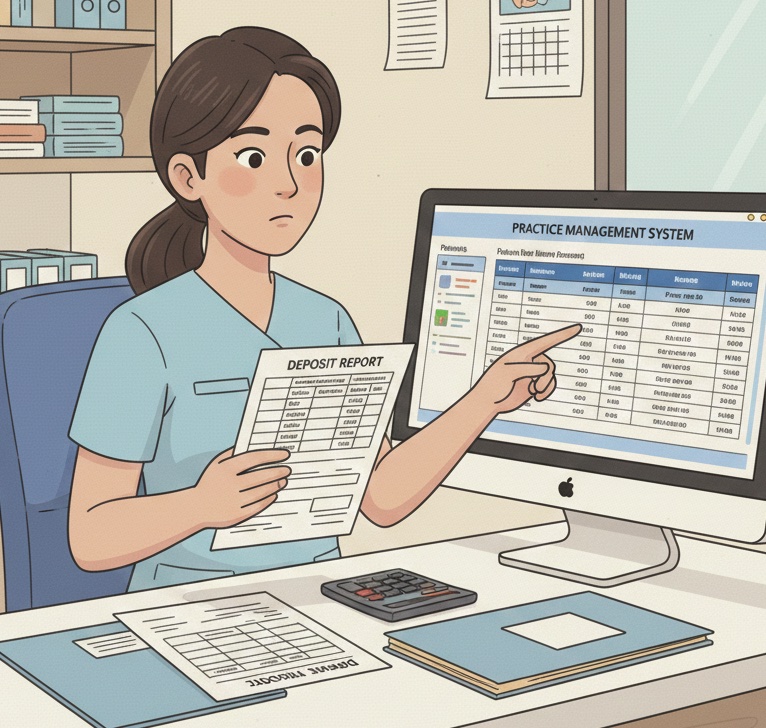
Every day it is the same story: your deposit slip says one number, your PMS says another. Here is why it happens and how to finally make them match.
📚 Part of our reconciliation series: This article is part of The Complete Guide to Dental Practice Reconciliation, our comprehensive resource on closing your books accurately and preventing revenue leakage.
The Daily Mystery Every Dental Office Knows
You run your end-of-day reports. You count the deposit. And somehow, the numbers do not match.
Maybe it is $23 off. Maybe it is $847. Sometimes you are over, sometimes you are under. The frustration is always the same.
You know the money went somewhere. You know someone posted something. But tracing exactly what happened feels like solving a puzzle with missing pieces.
This is not just annoying. It is expensive. Every mismatch you cannot explain is either money you are missing or money you think you have but do not. Neither is acceptable.
The good news: deposit mismatches almost always come from the same five causes. Once you understand them, you can fix them systematically instead of hunting blindly every day.
The 5 Common Reasons Your Numbers Do Not Match
Reason 1: Timing Differences
The most common cause of mismatches is not an error at all. It is timing.
Your PMS records payments when they are posted. Your bank records deposits when they arrive. These are not always the same day.
Consider this scenario: A patient pays by check at 4:30 PM. Your front desk posts the payment immediately. But the bank deposit does not happen until tomorrow morning. Today's PMS shows the payment. Today's bank statement does not.
The same thing happens in reverse. A deposit you made yesterday might not clear until today. Now your bank shows money your PMS recorded yesterday.
How to fix it: Compare reports for the same date range, but allow for a one to two day lag on bank deposits. Many practices find it helpful to reconcile based on deposit date rather than payment date to keep things aligned.
Reason 2: Credit Card Batch Timing
Credit card payments add another layer of timing complexity.
When a patient swipes their card, your PMS records the payment immediately. But the actual money does not move until you batch out your terminal, usually at end of day. Then the processor takes one to three business days to deposit the funds.
So a credit card payment posted on Monday might not hit your bank account until Wednesday or Thursday. If you are comparing Monday's PMS payments to Monday's bank deposits, credit cards will always create a gap.
Weekends and holidays make this worse. A Friday batch might not deposit until Tuesday. A payment processed before a three-day weekend could take nearly a week to appear in your account.
How to fix it: Track credit card payments separately from cash and check deposits. Match your terminal batch reports to your bank's merchant deposits, not to your daily PMS totals. Most practices find it easier to reconcile credit cards on a weekly basis rather than daily.
Reason 3: Unposted Insurance EFTs
Insurance companies increasingly pay via electronic funds transfer. These deposits hit your bank account automatically, but they do not post themselves to patient accounts.
Here is what happens: Delta Dental sends $4,200 via EFT on Tuesday. The money appears in your bank account. But if your team does not download the ERA and post the payments until Thursday, Tuesday's deposit has no matching PMS entries.
This gap can persist for days or weeks if your team falls behind on ERA posting. Meanwhile, your bank balance keeps growing while your PMS shows patients with outstanding balances.
How to fix it: Check your bank account daily for incoming EFTs and match them to ERAs immediately. Create a workflow where ERA posting happens within 24 hours of deposit. Some practices assign one person to monitor EFTs each morning before other tasks begin.
Reason 4: Adjustments and Refunds
Adjustments and refunds create mismatches that are easy to overlook.
Say you process a $150 refund to a patient's credit card. Your PMS shows a negative payment or adjustment. But the refund might not process through your merchant account until tomorrow. Or it might batch separately from regular transactions.
Write-offs and contractual adjustments also create confusion if they are entered inconsistently. An adjustment posted today affects your PMS totals but has no corresponding bank activity.
Insurance take-backs are particularly tricky. The insurance company might recoup a previous payment by deducting it from a current deposit. Your bank shows a smaller deposit than the ERA indicated. If you do not catch the take-back notation, your numbers will not reconcile.
How to fix it: Track refunds separately and reconcile them against your merchant account's refund report. Review insurance ERAs carefully for any recoupment or offset language. When you see a deposit that is smaller than expected, check for take-backs before assuming an error.
Reason 5: Data Entry Errors
Sometimes the mismatch is exactly what it looks like: someone made a mistake.
Common data entry errors include:
Transposed numbers: A $324 payment posted as $342. The difference is only $18, but it throws off your reconciliation.
Wrong payment type: A check payment recorded as cash, or vice versa. Your totals by category will not match even if the overall total is correct.
Wrong date: A payment posted to yesterday's date instead of today's. It appears in the wrong day's report.
Duplicate entries: The same payment posted twice. Your PMS shows more than what actually came in.
Missed payments: A payment collected but never posted. The money is in the deposit, but the PMS does not know about it.
How to fix it: Build verification into your posting process. Have a second person review large payments. Use your PMS's audit trail to track who posted what and when. When you find an error, document it and look for patterns that suggest training needs.
How to Troubleshoot Each Type of Mismatch
When your numbers do not match, work through this diagnostic process:
Step 1: Identify the direction and size of the gap.
Is your PMS higher than your deposit, or lower? By how much? A small difference (under $50) often suggests a data entry error. A larger, round number might indicate a missed payment or posting. A difference that matches a common payment amount is a strong clue.
Step 2: Check timing-related items first.
Before assuming an error, verify that you are comparing the right dates. Look for credit card batches that have not deposited yet. Check for insurance EFTs that arrived but have not been posted.
Step 3: Review each payment type separately.
Break down your PMS payments by type: cash, check, credit card, insurance EFT. Compare each category to its corresponding deposit source. This narrows down where the discrepancy lives.
Step 4: Look for the specific transaction.
Once you know which category has the mismatch, scan individual transactions. Look for amounts that match your discrepancy, transposed numbers, or unusual entries.
Step 5: Check for adjustments and refunds.
Review any adjustments, write-offs, or refunds processed that day. Make sure they are recorded correctly in both your PMS and your banking records.
When a Mismatch Is a Red Flag
Not all mismatches are innocent timing issues or simple errors. Some patterns warrant serious attention:
Consistent shortages in the same category. If your cash drawer is short every day, that is different from an occasional miscounting error.
Mismatches that disappear without explanation. If someone fixes discrepancies without documenting what was wrong, you have a transparency problem.
Round-number differences. A mismatch of exactly $100 or $500 is suspicious. Real errors tend to be odd amounts.
Discrepancies involving one staff member. If problems only occur on certain people's shifts, investigate further.
Growing unidentified deposit totals. If your pending identification category keeps increasing, money is arriving that you are not properly tracking.
These patterns do not necessarily indicate theft or fraud, but they do indicate a control problem that needs addressing.
Building a Daily Reconciliation Habit
The practices that rarely have mismatch mysteries share a common trait: they reconcile daily without exception.
Here is how to build that habit:
Make it non-negotiable. Reconciliation happens every day, even when you are busy. Especially when you are busy, because that is when errors are most likely.
Do it at the same time. Most practices reconcile at end of day, before closing. Some prefer first thing in the morning, reconciling the previous day. Pick a time and stick to it.
Use a checklist. Do not rely on memory. A written checklist ensures every step happens every time.
Keep it quick. Daily reconciliation should take 10 to 15 minutes when nothing is wrong. If it regularly takes longer, you have upstream process problems to address.
Document everything. Note any discrepancies found, how they were resolved, and who handled them. This creates an audit trail and helps identify patterns.
Escalate appropriately. Small discrepancies get resolved and documented. Larger or unexplained issues get escalated to management immediately, not at the end of the week.
The Long-Term Benefits of Matching Books
When your deposits match your PMS consistently, everything downstream gets easier:
Month-end close becomes simple. There is nothing to reconcile because you have been reconciling all along.
Your accountant stops asking questions. Clean books mean clean financials. Your CPA can focus on strategy instead of cleanup.
You can trust your reports. When you look at collections data, you know it reflects reality. Decisions based on accurate data are better decisions.
Staff stress decreases. Nobody dreads the daily deposit when they know the numbers will match.
Problems get caught early. A posting error found today is a two-minute fix. The same error found next month is an hour-long investigation.
Quick Reference: Mismatch Causes and Fixes
PMS higher than deposit:
- Check for credit card batches not yet deposited
- Look for insurance EFTs posted but not yet received
- Verify no payments were posted to wrong date
- Check for duplicate postings
PMS lower than deposit:
- Look for unposted insurance EFTs in bank account
- Check for payments collected but not posted
- Verify credit card deposits from previous batches
- Review for patient payments applied to wrong accounts
Specific amount differences:
- Transposed digits (common)
- Wrong payment type selected
- Adjustment entered incorrectly
- Refund timing mismatch
Tired of the daily deposit guessing game? Zeldent automatically matches your bank transactions to your PMS entries, highlighting discrepancies the moment they occur. Schedule a demo to see reconciliation that actually works.